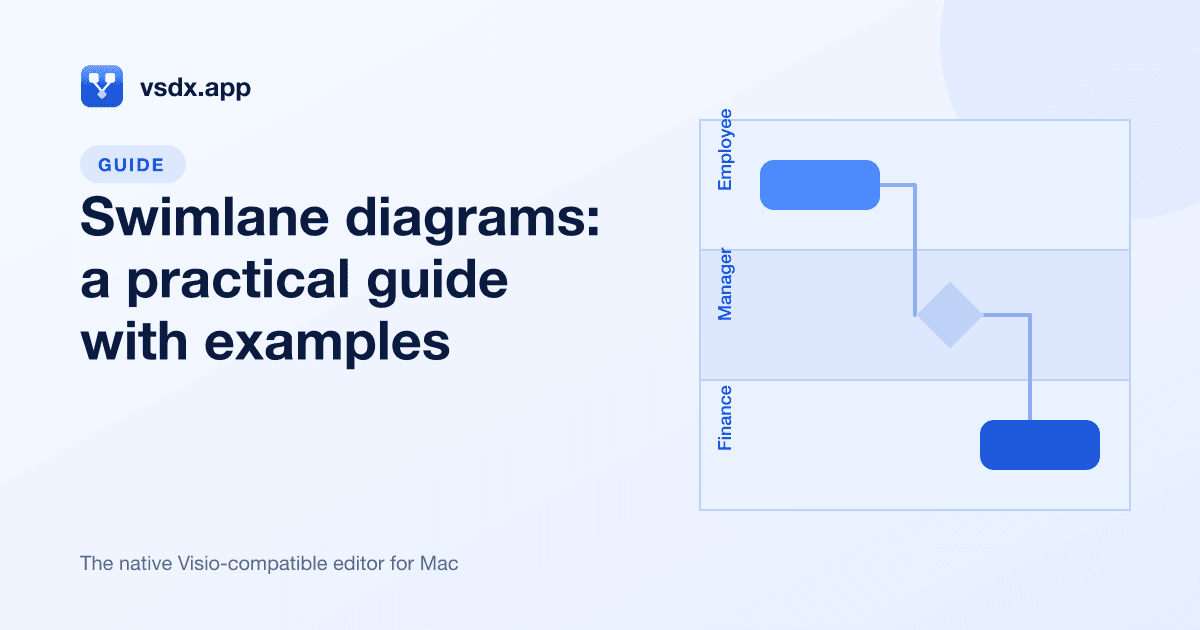
Swimlane Diagram: What It Is, Examples, and How to Make One
Learn what a swimlane diagram is, which symbols to use, a worked expense approval example, and how to build a cross-functional flowchart step by step on Mac.
A swimlane diagram is a flowchart split into parallel lanes, where each lane belongs to one person, role, team, or system. Every step sits in the lane of whoever does it, so the chart shows both what happens and who does it. It is also called a cross-functional flowchart or a swimlane flowchart. Use one whenever a process passes between more than one owner and you need to see the handoffs.
What is a swimlane diagram?
Like swimmers in a pool, each actor stays in their own lane. The process is drawn as a normal flowchart, but the page is divided into labeled strips, one per actor.
The parts of a swimlane diagram are:
- Lanes. One strip per actor. An actor can be a person ("Employee"), a role ("Manager"), a department ("Finance"), an outside party ("Customer"), or a system ("ERP"). The lane label sits at the start of the strip.
- Steps. Standard flowchart shapes placed inside the lane of the actor who performs them.
- Connectors. Arrows that show the order of steps. An arrow that crosses from one lane to another is a handoff, which is usually where delays and mistakes happen.
- Phases (separators). Optional lines that cut across all lanes to group steps into stages, such as "Submit", "Review", and "Pay". Lanes tell you who; phases tell you when.
Horizontal vs vertical lanes
Lanes can run either way:
| Orientation | How it reads | Works best when |
|---|---|---|
| Horizontal lanes | Lanes stacked top to bottom; the process flows left to right | You have many steps and a few actors; fits wide screens and slides |
| Vertical lanes | Lanes side by side; the process flows top to bottom | You have many actors and fewer steps; fits printed pages and documents |
Pick whichever keeps text readable, and stay consistent across related diagrams.
Swimlane diagram vs basic flowchart
A basic flowchart answers "what are the steps?" A swimlane diagram answers "what are the steps, and who owns each one?"
Use a basic flowchart when one person or one system does the whole process, or when you are sketching logic (for example, the branches of an algorithm). Use a swimlane diagram when:
- Work moves between two or more people, teams, or systems.
- You are trying to find bottlenecks, duplicated work, or unclear ownership.
- You are documenting a process for onboarding, an audit, or a handover.
If you find yourself writing names next to shapes ("Finance checks receipt"), it should be a swimlane diagram.
Swimlane diagram symbols
Swimlane diagrams use the same symbols as ordinary flowcharts. Keeping to the standard set means anyone can read your chart without a legend.
| Symbol | Shape | Use it for |
|---|---|---|
| Start/End | Rounded rectangle (terminator) | Where the process begins and every place it can finish |
| Process | Rectangle | A single action, written as verb + object ("Approve report") |
| Decision | Diamond | A yes/no or multi-way question; each outgoing arrow gets a label |
| Document | Rectangle with a wavy bottom | A form, receipt, report, or other document produced or used |
| Data | Parallelogram | Data going in or out (input, output) |
| Subprocess | Rectangle with double side lines | A step that has its own detailed diagram elsewhere |
| Database | Cylinder | A stored record or system of record |
| Manual Input | Rectangle with a slanted top | Someone typing or entering information by hand |
| On-page reference | Small circle | Jumping to another point on the same page without a long arrow |
| Swimlane | Labeled strip | One lane per actor |
| Separator | Line across lanes | Marks a phase boundary |
Swimlane diagram example: expense approval
Here is a common swimlane diagram example: an employee submits an expense report, a manager approves it, and Finance pays it. There are three lanes: Employee, Manager, and Finance, and three phases: Submit, Approve, and Reimburse.
The steps in order:
- Start (Employee): Employee has an expense to claim.
- Process (Employee): Fill in the expense report and attach receipts.
- Document (Employee): Expense report submitted.
- Process (Manager): Review the report.
- Decision (Manager): Is the expense within policy?
- No: Return the report to the Employee with a comment; the flow goes back to step 2.
- Yes: Approve and forward to Finance.
- Process (Finance): Check receipts against the report.
- Decision (Finance): Are the receipts complete and valid?
- No: Send back to the Employee for missing receipts; the flow goes back to step 2.
- Yes: Continue.
- Process (Finance): Schedule the reimbursement.
- Database (Finance): Record the payment in the accounting system.
- End (Employee): Employee is reimbursed.
The same process as a lane → steps table:
| Lane | Phase: Submit | Phase: Approve | Phase: Reimburse |
|---|---|---|---|
| Employee | Start; fill in report; submit report (Document) | Fix and resubmit if returned | End: reimbursed |
| Manager | (none) | Review report; Decision: within policy? | (none) |
| Finance | (none) | (none) | Check receipts; Decision: receipts valid?; schedule payment; record in system (Database) |
Laid out this way, the handoffs stand out: Employee → Manager, Manager → Finance, and two loops back to the Employee. If reimbursements are slow, look at those four arrows first. Note that End sits in the Employee lane: the process is done when the employee is paid, not when Finance records it.
How to make a swimlane diagram (any tool)
The method is the same in every diagramming tool:
- Define the scope. Write down one trigger ("employee has an expense") and one or more outcomes ("employee is reimbursed", "claim rejected"). Everything in between is in scope.
- List the actors. These become your lanes. Use roles rather than names ("Manager", not "Sarah") so the chart stays correct when people change jobs.
- Order the lanes. Put the actor who starts the process in the first lane, and place actors who hand work to each other next to each other. This keeps arrows short.
- Choose an orientation. Horizontal for long processes, vertical for many actors.
- List the steps. Write each one as verb + object, and note who does it. Sticky notes or a plain list are fine at this stage.
- Place the steps in their lanes. Add Start/End, Process, Decision, and Document shapes in sequence.
- Connect the steps. Draw arrows in the direction of flow. Label every arrow leaving a Decision ("Yes", "No").
- Add phases. If the process has clear stages, add separators and name them.
- Review with each lane's owner. Ask whether their lane matches what actually happens.
How to make a swimlane diagram on Mac with vsdx.app
vsdx.app is a native Mac diagram editor that opens, edits, and saves Microsoft Visio .vsdx files. It includes swimlane shapes and templates, so you can follow the method above without building lanes from scratch.
Option 1: Start from a template
- Open vsdx.app and create a new drawing from a template.
- In the Cross-Functional category, choose Cross-Functional Flowchart for a blank swimlane layout, or Expense Swimlanes if you want a ready-made expense process like the example above.
- Rename the lane labels to your actors and edit the step text.
- Delete steps you do not need and add your own from the shapes panel.
Option 2: Build it shape by shape
- Start a blank drawing.
- From the shapes panel on the left, drag a Swimlane shape onto the page for each actor and type the lane label.
- Drag a Separator across the lanes wherever a new phase begins.
- Drag flowchart shapes (Process, Decision, Start/End, Document, Data, and the rest) into the right lanes.
- Connect them. Connectors stay attached to shapes, so when you move a step to another lane or reorder the flow, the arrows follow instead of breaking.
- Align shapes with the Arrange tools, and use Quick Styles or the Design tab's themes and variants for a consistent look.
If the layout gets messy, Auto layout tidies the diagram in one click and works offline, and Beautify applies cleaner styling. Check the result afterwards to confirm each step is still in its correct lane.
Option 3: Describe it to AI
On a paid plan, you can type one sentence, such as "Swimlane diagram for expense approval with lanes Employee, Manager, and Finance", and pick the swimlane type (or let it choose automatically). The result is made of native Visio shapes, so you can keep editing it like anything else you draw. Each generation uses 10 credits and needs an internet connection; everything else in the app works offline.
The interface follows the Windows Visio layout (Ribbon tabs, shapes panel on the left, page tabs at the bottom), so Visio users will find their way around.
Swimlane diagram best practices
- One process per diagram. If a chart needs more than about 25 to 30 steps, split it and use a Subprocess shape to point to the detail.
- Flow from top-left to bottom-right. Only loops should run backwards.
- Name lanes by role. Roles last longer than names and make ownership clear.
- Write steps as verb + object. "Approve report" beats "Approval" or "Manager stuff".
- Label every decision branch. An unlabeled arrow out of a diamond forces the reader to guess.
- Keep handoffs visible. Do not hide a lane crossing behind other shapes; handoffs are the point of the diagram.
- Add a title, owner, and date so readers know whether it is current.
Common swimlane diagram mistakes
| Mistake | Why it hurts | Fix |
|---|---|---|
| Too many lanes | Arrows cross everywhere and the page becomes unreadable | Merge minor actors, or move a side process to its own diagram |
| Steps placed in the wrong lane | Ownership looks wrong, which defeats the purpose | Ask "who actually does this?" for each shape |
| Missing end points | Rejected or cancelled paths just stop | Give every path an End shape |
| Diagramming the ideal, not the real process | Problems stay hidden | Map what happens today first, then draw a separate improved version |
| Mixing levels of detail | "Send email" sits next to "Run payroll" | Keep steps at one level; push detail into subprocesses |
How to share a swimlane diagram
How you share depends on who needs it:
- For reading and review: export to PDF for documents and email, PNG for chat and slides, or SVG for web pages and anything that needs to scale. You can also print, or use the Mac share menu.
- For Visio users: save as .vsdx. Colleagues on Windows can open and edit it in Visio, and when you edit a .vsdx file in vsdx.app, content you did not change is preserved on save. If you receive a .vsdx back, Finder's Quick Look lets you preview it with the space bar before opening. See how to open a .vsdx file on Mac for more.
- From other tools: import existing Mermaid or draw.io diagrams instead of redrawing them.
vsdx.app has no real-time co-editing, so for group review, share an exported PDF or the .vsdx file and collect comments.
FAQ
What is a swimlane diagram used for?
It documents a process involving several people, teams, or systems, showing responsibilities and handoffs. Teams use it for process improvement, onboarding, audits, and defining roles.
What is the difference between a swimlane diagram and a cross-functional flowchart?
There is no real difference. "Cross-functional flowchart" is another name for a swimlane diagram, and it stresses that the process crosses departments (functions). "Swimlane flowchart" means the same thing too.
Should swimlanes be horizontal or vertical?
Horizontal for long processes with few actors; vertical for many actors or portrait pages.
How many lanes should a swimlane diagram have?
Most readable swimlane diagrams have about three to seven lanes. Beyond that, arrows start crossing too often. Combine minor actors or split the process into smaller diagrams.
How do I make a swimlane diagram in Visio on a Mac?
There is no desktop Visio for Mac. You can use Visio for the web in a browser with a Microsoft 365 plan that includes Visio, run Windows Visio in a virtual machine, or use a native Mac editor such as vsdx.app, which has a Cross-Functional Flowchart template and saves .vsdx files that open in Visio.
Can I create a swimlane diagram for free?
vsdx.app's free version opens and views .vsdx files, which is enough to review a diagram a colleague sent. Editing needs a paid plan.
Start drawing your swimlane diagram
If you have a process with more than one owner, draw it as a swimlane diagram: list the actors, put each step in its owner's lane, and look closely at every handoff. To do it on a Mac with Visio-compatible files, download vsdx.app and start from the Cross-Functional Flowchart template, or see plans and pricing for editing and AI generation.
Author

Categories
More Posts

Best Visio Alternatives for Mac: 7 Options Compared
Looking for a Visio alternative for Mac? Compare vsdx.app, Visio for the web, Lucidchart, draw.io, OmniGraffle and more by offline use, .vsdx support and cost.

Lucidchart vs Visio: Which Diagram Tool Fits Your Team?
Lucidchart vs Visio compared: collaboration, Microsoft 365 integration, file formats and Mac support, plus where draw.io fits and how to edit .vsdx on a Mac.

Visio Stencils, Shapes and Templates: A Guide for Mac Users
What Visio stencils, masters, shapes and templates are, where to get Visio stencils, and how to work with shapes and templates on a Mac without Visio.
Newsletter
Join the community
Subscribe to our newsletter for the latest news and updates